AI avatar and AI influencer for social content, ads, and Reels

Create a character once and keep working with it in Avatar Studio: generate new images with the same persona, write text for talking videos, and animate strong frames into short clips.

Create the first AI characterNo card required. Create the first character and test it in images and motion.

An AI avatar is useful when you need more than one random portrait: a recognizable character for images, Reels, ad creatives, and regular posts. The main challenge is repeatability.

Givon AI includes a dedicated Avatar Studio. Create a persona, then use it as a working base: generate new frames with the same character, turn a selected photo into a talking video from text, or animate a frame into a short clip.

All avatar materials stay next to the character. You can review, download, and move them into projects where full videos are assembled with scenes, captions, and social export.

Avatar Studio in action

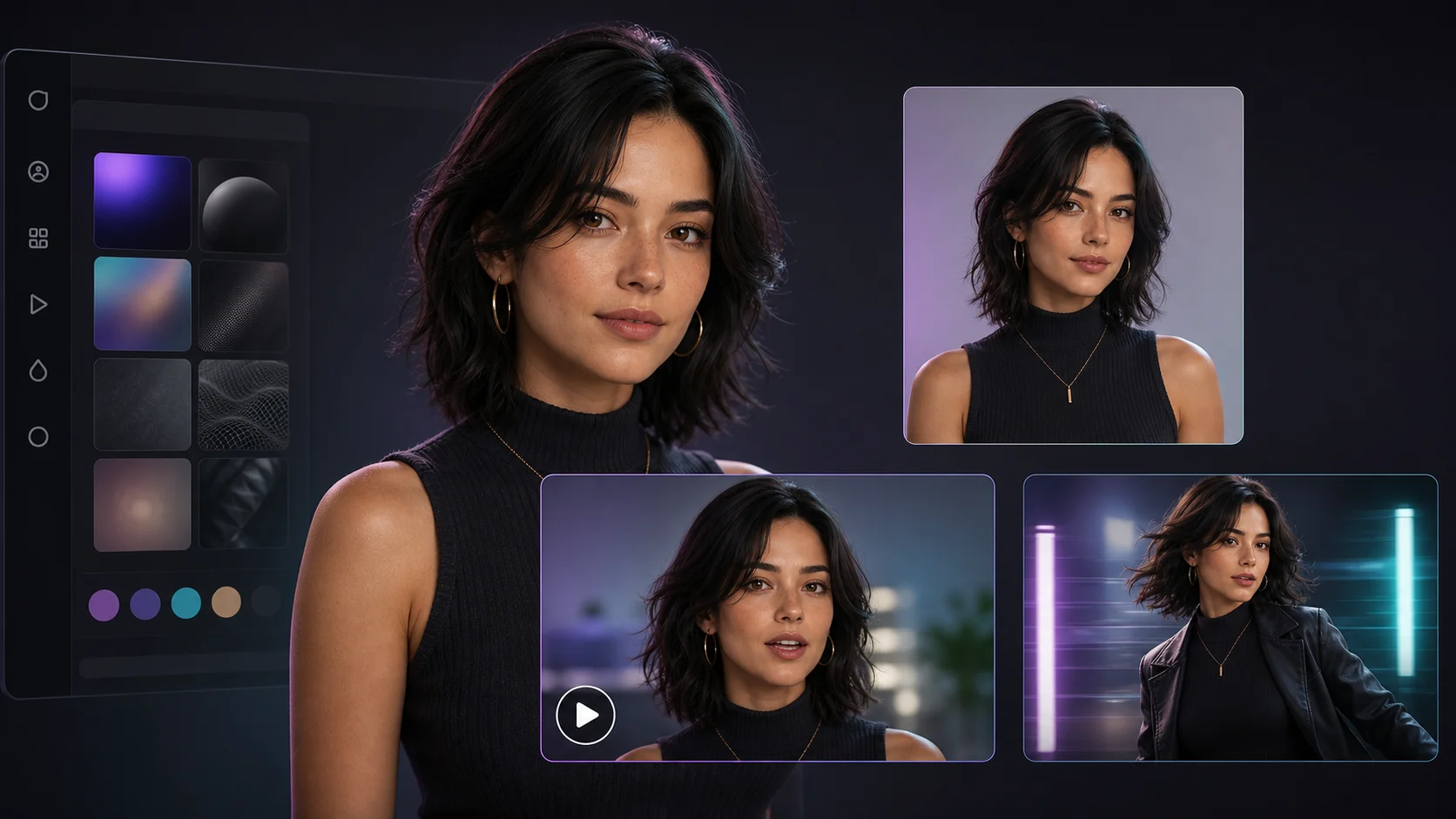
One character, three actions: new frames with the same persona, text-driven talking video, and animation into a short clip.

Givon AI Avatar Studio: one avatar used for new images, talking videos, and short clips

One avatar for images, voice, and video

Create a character once and continue in Studio: generate scenes with the same face and style, write lines for talking videos, and animate strong frames. Materials stay next to the avatar and can move into projects.

How to write the prompt

A prompt should describe content: subject, action, camera, light, and style. Duration, aspect ratio, and resolution are generation settings, not prompt text.

Weak

Create a beautiful AI influencer.

Better

Create an AI character for a Reels series: 25-year-old woman, warm lifestyle style, natural light, recognizable hairstyle, calm confident presence, urban background, the persona should be easy to repeat in future scenes.

Models for talking avatars

Specialized catalog models create talking videos, from a short line to a longer monologue.

HeyGen Avatar IV

1-60s · native audio · up to 1 references

A photo avatar speaks your text in takes up to one minute.

Kling Avatar 2.0

2-300s · native audio

Longer talking videos up to five minutes per take.

Kling Lip-Sync

1-60s · native audio

Precise lip sync when the character video already exists.

The catalog keeps evolving, and available modes plus token costs depend on the current publication. The full list is inside the editor.

How it works

  1. 01

    Describe the character

    Appearance, age, style, mood, and role in content: expert, lifestyle host, or brand persona.

  2. 02

    Generate base options

    Create several versions and choose not just the prettiest portrait, but the one that can repeat well.

  3. 03

    Lock the best option

    Save 2-3 strong frames as anchors for face and style in future generations.

  4. 04

    Build a frame series

    Generate new scenes with the same persona: poses, locations, and situations for the content plan.

  5. 05

    Give the character voice and motion

    Turn a selected frame into a talking video or animate it, then check whether the persona holds in video.

  6. 06

    Move materials into a project

    Assemble frames and clips into a video with scenes, captions, and vertical export.

Best use cases

AI influencer for Reels

Run a character across releases with new scenes, lines, and videos in one recognizable style.

Advertising character

Create a persona that can show a product, say an offer, and appear across campaigns.

Talking videos

Announcements, updates, and explainers where an avatar speaks instead of a filmed presenter.

Lifestyle content

Test looks, locations, and situations without photo shoots or studio rentals.

How to keep one character consistent

Consistency comes from anchor materials. If every prompt starts from scratch, the character changes. If base frames return as references, face, style, and personality stay closer.

Start with a base persona, choose 2-3 strong frames, then move to scenes, lines, and videos. The cleaner the starting avatar, the more stable the following results.

Why Givon AI

One persona, many formats

One avatar can produce portraits, lifestyle frames, talking videos, and short clips for social channels.

Talking video from text

No presenter or shoot is required: choose a frame, write the line, and the avatar speaks it in a short video.

Materials stay with the avatar

Character frames and clips are stored in Studio, where they can be reviewed, downloaded, and moved into projects.

Series consistency

Anchor frames and references keep face and style closer so releases look like one story.

What to keep in mind

Quality depends on the task, source materials, and number of attempts. Here is what to account for before publishing.

Consistency requires anchor materials

A character will not stay identical by itself. Bring base frames back as references for each new generation.

Details can change

Pose, lighting, or motion can shift small details. Choose the take where the persona remains recognizable.

Do not use real people without rights

A character resembling a real person, brand, or protected figure requires separate rights review.

Review speech and expression

In talking videos, check lip sync, gestures, and line readability, especially for advertising.

Commercial use needs review

Before ads, make sure the persona does not copy someone else's work and follows platform rules.

FAQ

How do I keep a character similar across generations?

Use Avatar Studio: lock a base persona, save 2-3 anchor frames, and reuse them as references. Repeat key identity traits in prompts as well.

Can I make a talking video with an avatar?

Yes. In Avatar Studio, choose a frame, write text, and generate a short video where the character speaks your line.

Can I make a regular video with an AI avatar?

Yes. Animate an avatar frame in Studio or move it into a project and assemble a full video with scenes, captions, and export.

Can I use an AI avatar in ads?

Yes, if the persona, sources, and script do not violate third-party rights, platform rules, or technology provider restrictions.

Do I need to upload my own photos?

No. You can generate a persona from scratch. References help when you need a specific style or closer character direction.

Where are character materials stored?

They stay next to the avatar in Studio. Frames and clips can be reviewed, renamed, downloaded, archived, and moved into a project.

Is it free to try?

Registration does not require a card. Starter tokens cover the first characters; after that you can use a plan or buy more tokens. Unused tokens do not expire.

Create your first result in Givon AI

No card required. Create the first character and test it in images and motion. After the first result, save the asset and keep working in the same project.

Create the first AI character

Useful links