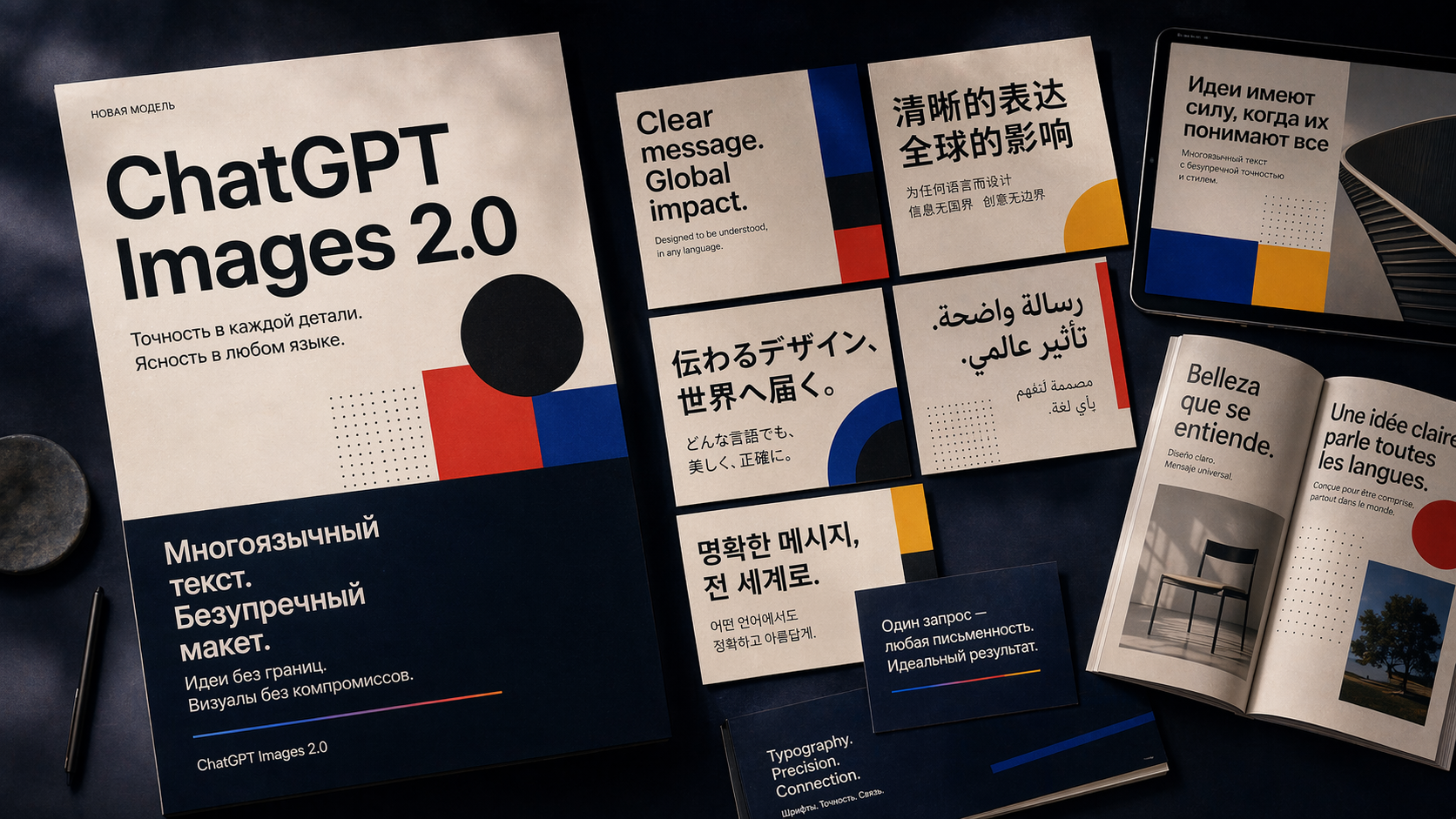
Layouts with multilingual textChatGPT Images 2.0
Poster, cards, and editorial layout: text stays structured even when several writing systems and a clear hierarchy are needed.
Generate a new still image for a specific task.
ChatGPT Images 2.0Layouts with multilingual text
Poster, cards, and editorial layout: text stays structured even when several writing systems and a clear hierarchy are needed.
An AI photo generator is useful when an image starts from scratch: an ad frame, product scene, character, cover, or base for a future video. You describe the result instead of searching for a matching stock image.
In Givon AI, an image does not end at download. Save it to the library, use it as a reference for future generations, edit it, or animate it into a video scene inside the same project.
What you can do
Create an ad image
Describe the product, background, light, composition, and space for copy, then generate a platform-ready visual.
Make an image with text
Some models handle text inside an image well enough for covers, mockups, and headline layouts.
Create a character
Build a starting image for an AI influencer or content series, then stabilize the character in Avatar Studio.
Prepare a video base
Save a strong frame and use it as the starting point for image-to-video or a video scene.
If your task is different
This page covers new image creation. Editing, animation, and repeatable characters have their own workflows.
Real images generated in Givon AI that show where the models are strongest.
Poster, cards, and editorial layout: text stays structured even when several writing systems and a clear hierarchy are needed.
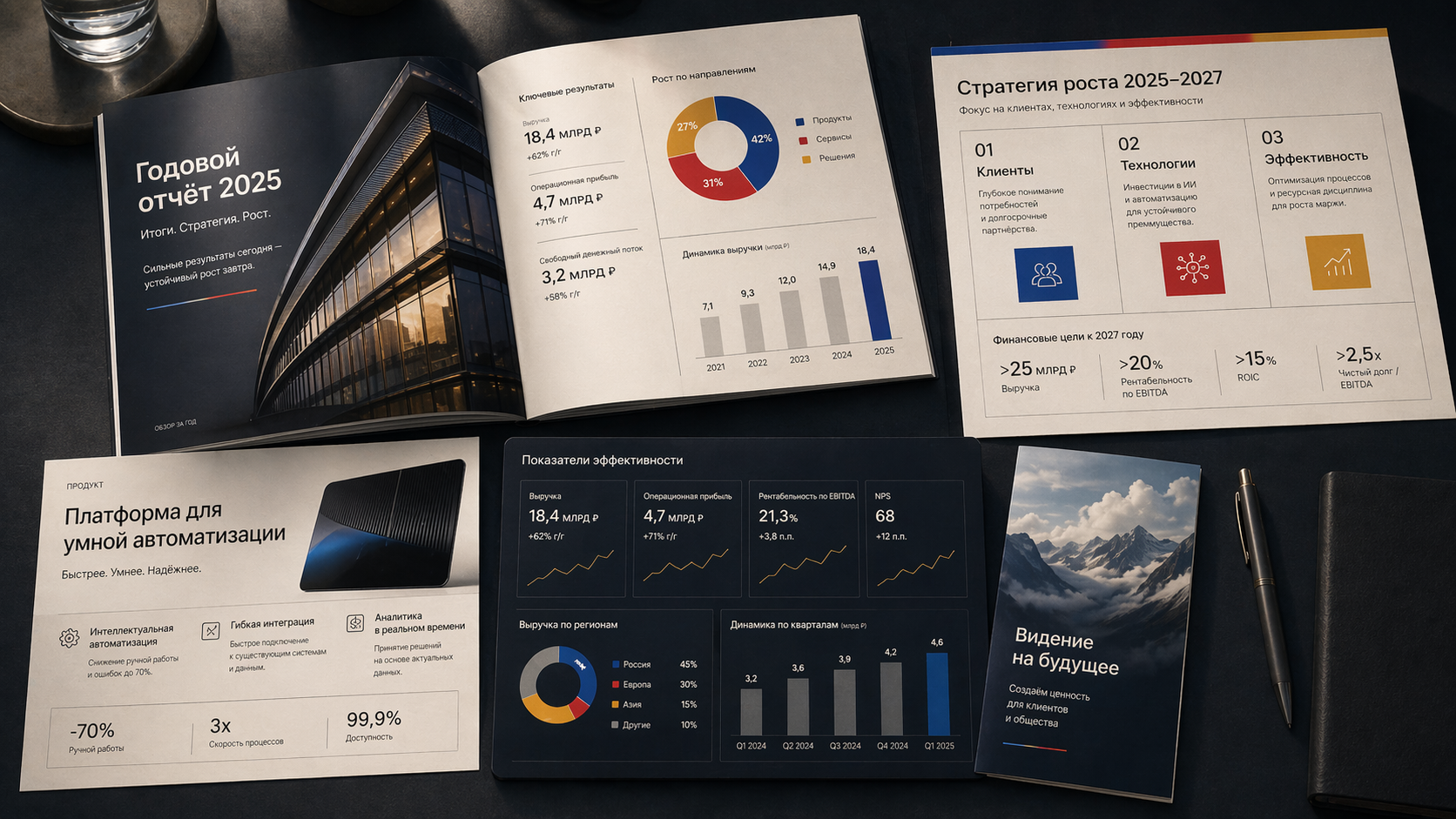
Reports, one-pagers, and infographics from an idea or data: the model keeps visual logic instead of only making a decorative background.
A prompt should describe content: subject, action, camera, light, and style. Duration, aspect ratio, and resolution are generation settings, not prompt text.
Weak
Make a beautiful vertical ad image in high resolution.
Better
A ceramic matcha cup on a light table, soft daylight, clean minimal background, space for a short headline on the right, commercial style.
The catalog includes several generators with different strengths. For a new task, compare two before choosing your main model.
Best for readable text in images, covers, layouts, and infographics.
Photorealism and careful edits, especially for product visuals.
Rich stylized scenes and a large reference budget.
Fast xAI concepts for exploring multiple directions.
Generation and editing in one model, with a Pro option for complex scenes.
Pricing comes from the current catalog and is shown before launch. Mode, duration, resolution, and audio can change the final cost.
Subject, style, background, light, angle, and image purpose. The more concrete the brief, the less randomness you get.
ChatGPT Images, Nano Banana, Seedream, Grok Imagine, and Wan produce different image character. Try two for the first task.
Compare composition, details, and subject readability, not only the first visual impression.
Add the result to the library if it can support a series, a video, or later edits.
Use the image as a reference, edit it in the AI image editor, or animate it into a video.
Review whether the frame fits the job: ad, product card, social post, presentation, or future video scene.
Test backgrounds, scenes, and product presentation styles before a full shoot.
Create covers, lifestyle frames, and visual ideas for regular publishing.
Build a starting character image for Avatar Studio and video content.
Show a visual direction quickly without spending hours searching for references.
If the result needs a specific product, face, interior, or brand style, add your own materials as references. That helps the model preserve important traits instead of inventing a similar-looking image.
If the task is exploratory, start from text. Once a useful direction appears, save the frame to the library and reuse it in future generations.
Define product, background, angle, space for copy, and publication channel instead of adapting a stock image.
ChatGPT Images is strong with text and layouts, while Nano Banana and Seedream are useful for photorealism and edits. Switch models without switching services.
A saved image can return to new generations, edits, and videos, keeping a series visually consistent.
A strong frame can be animated and placed into a video scene without moving files to another tool.
Quality depends on the task, source materials, and number of attempts. Here is what to account for before publishing.
Even strong models can make mistakes in copy. Check letters, small text, and packaging manually before publishing.
Exact product shape and brand marks are not reliable from text alone. Use references instead of generating from scratch.
To keep style or character consistent, save strong frames and bring them back into new generations.
Then refine background, light, and composition one parameter at a time, or move to precise edits.
If the image resembles another product, character, or brand style, do not use it in ads without review.
Yes. You can create a product scene from a description, but for an exact product you should add source photos as references and check shape, packaging, and text in the result.
ChatGPT Images, Nano Banana, Seedream, Grok Imagine, and Wan are available in one catalog. Each has a different image character, so try one task in two models before deciding.
Yes. Save the frame to the library and animate it on the Image to video page. The image becomes the first frame of a video scene.
Generate from scratch when you are exploring an idea. Use a reference when a specific product, face, style, or composition must be preserved.
Givon AI does not claim rights to the result. Commercial use still depends on source rights, platform rules, and technology provider restrictions.
Stock is a search for someone else's finished image. Generation creates a frame for your scenario, with the product, background, copy space, and channel format you need.
Registration does not require a card. Starter tokens cover the first images; after that you can use a plan or buy more tokens. Unused tokens do not expire.
No card required. Create the first frame and decide whether the style works. After the first result, save the asset and keep working in the same project.
Create a photo